11 Tips to 10x Your Day With Creative Work Flow
Updated 4 Aug 2019 on LinkedIn

What is a 10x Engineer (feat. ex-Google Tech Lead) #10xengineer (view original embed)
What does it take to be productive and remain there? Basically 11 things:
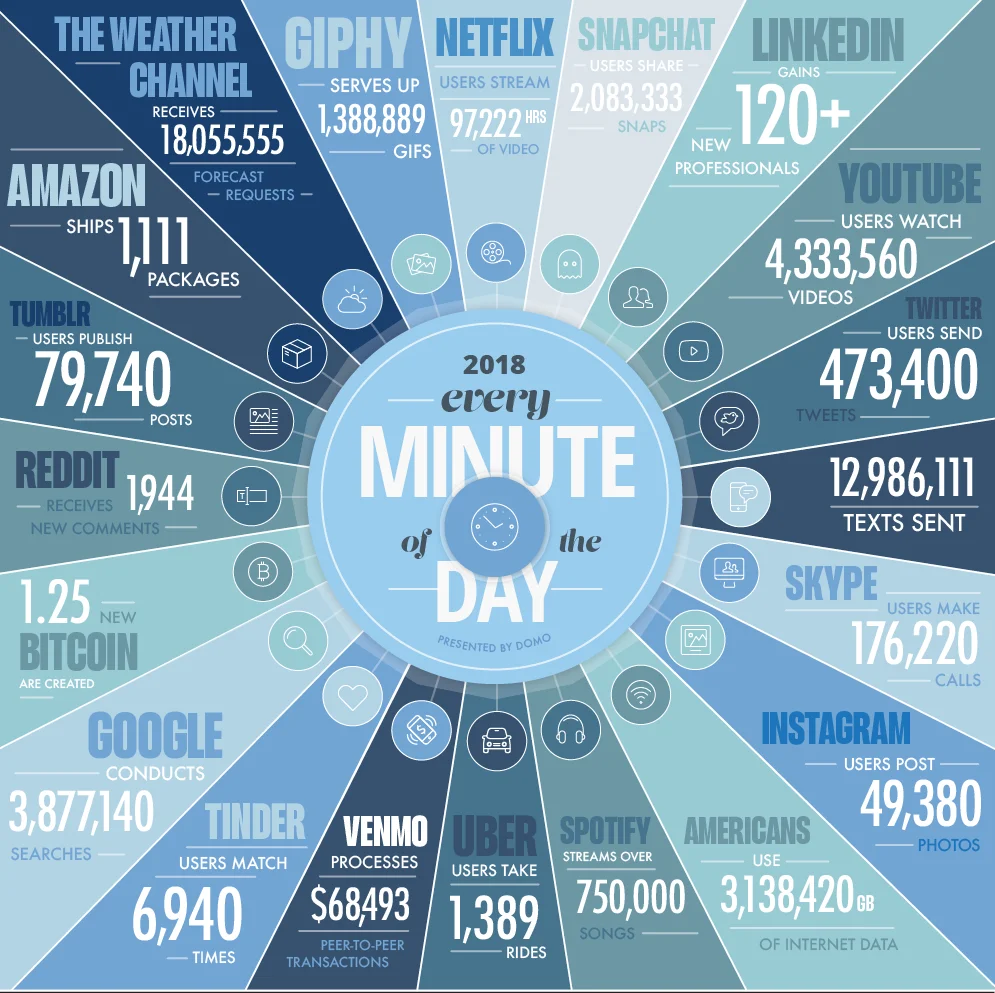
- 0 or minimal disruptions to ones' day. This means severely limiting or filtering the amount of notifications you're consciously and even subconsciously consuming per day. I've turned off badge notifications on my apps, muted unimportant Messenger chats and ultimately reduced my social media time by about half than what it was.
All these online companies including Google, YouTube, Facebook, Amazon, Ebay want you to spend more time on their sites, hence the notifications creep. Minimise these indirect notifications and you'll quickly find you'll have a lot less distracted time on your hands.
Great article: https://neilkakkar.com/Dealing-with-information-overload.html
- Creating your own space you can easily get into the zone. Preferably a place that's quiet and without or with a little ambient movement. Places where you can work on your own WITHOUT any external distractions work best I have found. Examples include quiet publicly owned co-working spaces, similar to libraries, universities, cafes, public transport and at home at night when everyone else is out or sleeping.
- Along with this is crucial step to batch related tasks together and stick to executing just them. This is often the hardest point I come across. Especially when on any given day, any new leads could be emailing you, but you're still in the middle of responding to a current lead or client. Basically set dedicated time boxed sessions for related tasks, e.g. checking social media - 15 minutes. Emailing - 30 minutes, tackling web design work - 2 hours, writing a blog post - 40 minutes, taking a break - 15 min, debriefing on YouTube videos - 40 min. Basically create simultaneous work flows by swinging from a batch of related tasks to the next batch of related tasks.
We lose most of our energy by constantly context switching between tasks, tabs, programs, emails, calls, in-person distractions, lunches, dinners, breakfast, you name it. The trick is to group related tasks together and then prioritise which group of tasks needs to be done first. Usually emailing is great to get out of the way and gives you (quick win) productive momentum to tackle your next group of tasks.
4 Ways to Help Your Team Avoid Digital Distractions (view original embed)
7 Habits of Highly Effective Programmers (ft. ex-Google TechLead) (view original embed)
Patrick Shyu, an ex-Google Tech Lead sheds light on what does it take to be a successful Programmer.
- A reliable Operating System / Computer. Updates have been known to wreck havoc on productivity. I updated to macOS Mojave 10.14.5. And my Mac has randomly frozen 9 times these last 2 months. It has happened during coding and filling out forms. Incredibly annoying and anxiety inducing. The latest Windows Service Pack has caused much headache as well.
- A group of people you can collaborate, support and bounce ideas off. This has often been the hardest struggle as a Freelancer, usually this means constantly bouncing ideas to and fro with your clients or attending meetups to meet like minded professionals in your field, but it can be tough when you don't have immediate people to get their feedback on what they think of particular ideas or design/content work. Joining relevant online forums can help with this as well. A lot of new online activity happens in Facebook groups. I also follow related YouTuber Entrepreneurs that have made it or at least experienced.
- Enjoy what you're doing. Career direction & skill satisfaction should be everyone's number one priority.
- Maintain proper diet, exercise, Vitamin D & Sleep patterns. 🌅
- Keep to a regular work pattern or timings. If you know you work best at certain times of the day, stick to those times for JUST pure work creativity or whatever it is that you do. Block out everything else. This is easier to do when you're in a place where there are no other people to disturb you. I find my room with the door closed works good for this or a quiet co-working space similar to a library. I wrote a great remote work article here.
I'm out of time. #grindreel (view original embed)
Joshua Fluke, a Former Web Developer sheds light on his rigorous self-set work routine of releasing one video per day to his YouTuber viewers.
- Take regular work day breaks. I usually find I work well in 2 - 2.5 hour sprints at my computer before requiring a break. I think the recommended is 15 min break after every hour but we all know that's not possible all the time. Duty calls. Breaks avoid burnout.
- Correct posture and the right ergonomic setup are 110% important to creating and sustaining flow. I sometimes work from my laptop with my head tilted down, this creates a stiff neck and isn't good for maintaining flow. I have a secondary monitor at home and I find this works best.
- Something to be said about building romantic / dating relationships can help you relax and take the pressure off work, and help you feel revitalised to tackle your next pieces of work! Also holidaying is a great way to do this as well but can feel more empty at times if you go at it alone, much like freelancing,
Hope these tips work for you, drop any more you have in the comments below and I'll add them to the list. :)
Happily written remotely and serendipitously at Sydney airport waiting 12 hours for my flight. :)
Thank you!
Thanks for reading.
View the original discussion on LinkedIn ↗
Join the conversation
Comments and reactions use GitHub. Sign in to join in, and keep the discussion thoughtful and respectful.
View discussions on GitHub ↗