
In this article
Basically: Publish great, frequent and new content targeting relevant search keywords that your competitors are also targeting. Ask yourself, would you want to be reading this on the train home from work?
I worked in an SEO Agency in Sydney, Australia last year and have over 9 years experience dealing with Social Media Marketing, including working for Google as a Student Ambassador.
[Image unavailable in the public LinkedIn source.]
Keyword Targeting/Research:
You can use tools like:
- UberSuggest (it has nothing to do with Uber) from Neil Patel, a leading SEO Expert and YouTube SEO Vlogger,
- Ahrefs (I highly recommend) or
- SEMRush which is similar.
- Google Keyword Planner, Google Trends and Google Search Console) (less comprehensive for keyword targeting than Ahrefs and SEMrush).
Ahrefs has a great Keyword Research post here.
Keyword Maps: (Something I honestly just found out today, but they look super handy!)
How to Build a Killer Content → Keyword Map for SEO - Whiteboard Friday (original resource unavailable)
On-page SEO:
Making sure your H1 titles are appropriately used.
Does your site use the right relevant page title and description text and images for each page your users are searching for on Google?
A great tool I use for forcing Facebook to refresh its thumbnail cache from your server is Facebook Debugger tool. It's quite straight forward and relies on og: (open graph) tags an industry standard which Facebook made.
WordPress Yoast and Open Graph plugins make this process easier for WordPress websites. I've still had issues with getting LinkedIn thumbnails right though, LinkedIn seems to have a different way of reading thumbnails off a site. (Both for feed and chat links).
Also I've been having thumbnail not displaying issues with Buffer (a social media management platform) when sharing to Facebook and LinkedIn, which is annoying because it's a tool I've relied on for years and has a simpler interface than the later two. Other similar tools are HootSuite or SproutSocial. I've contacted Buffer support and am mid way through diagnosing the issue with them. HootSuite has issues with sharing images as links instead of native photos to social networks. (Not sure if they fixed that in recent years since I don't use it anymore, but I signed in the other day and the interface still looks really clunky that I still prefer using Buffer).
Make sure your images use alt tags with descriptive wording to maximise search engine's indexability (how relatable search engines can serve your images and pages on different keywords global users will be searching, especially on Google Images for example).
Ensure your site:
- Is mobile responsive (with appropriately sized buttons to handle finger presses), Google and other search engines prioritise mobile designed sites over their desktop-only competitors. This is usually done with media queries. Frameworks like Twitter Bootstrap and themes generally have this built in. But still be sure to test how any theme looks on mobile and tablet as well.
[Image unavailable in the public LinkedIn source.]
- Includes HTTPS and a wildcard HTTP to HTTPS 301 redirect for all pages - Cloudflare can do this with Page Rules for free - I still see a number of non-HTTPS (smaller) sites in 2019 but not often thankfully (Google recommends and preferences HTTPS for even just static blog sites without any login functionality).
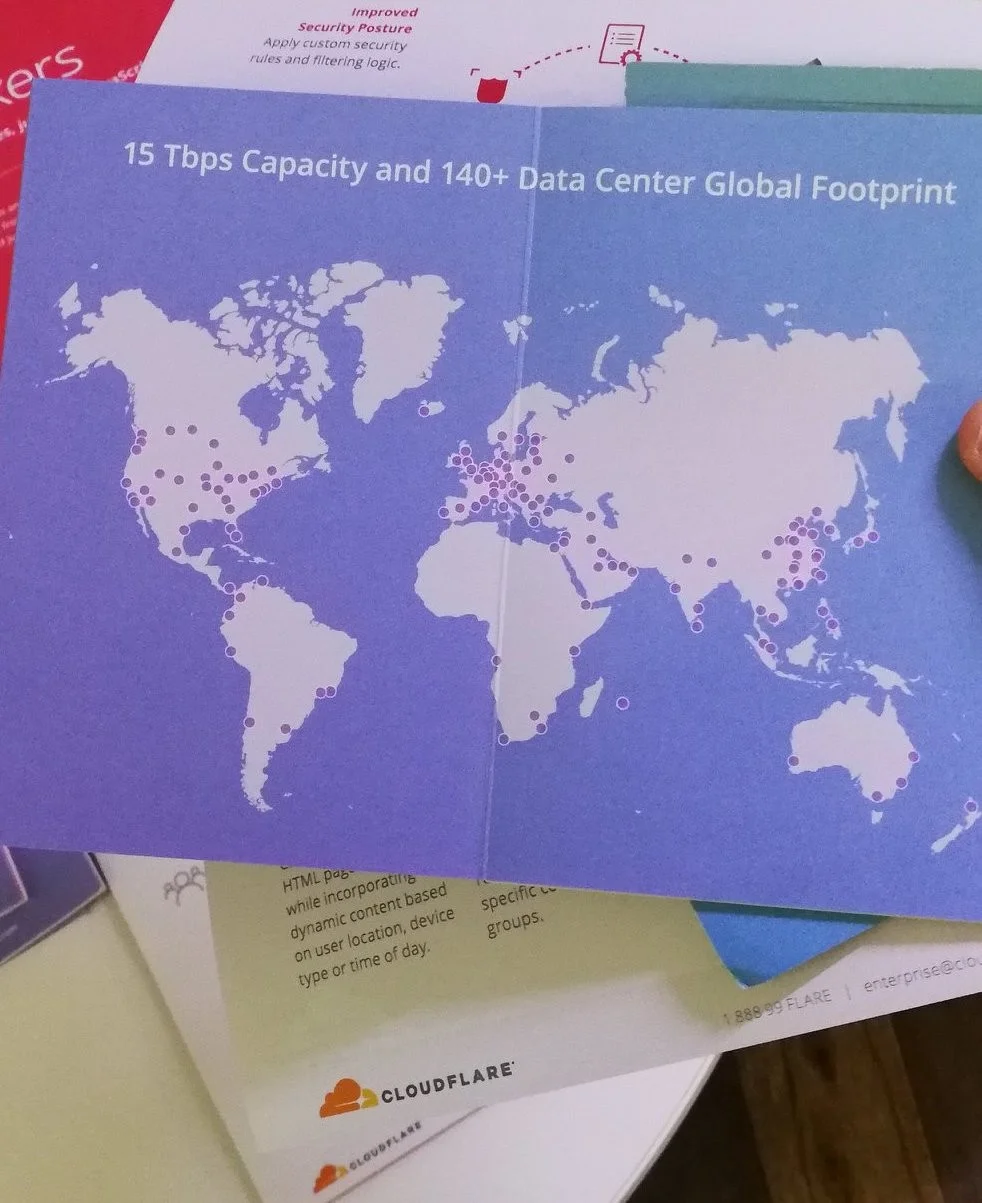
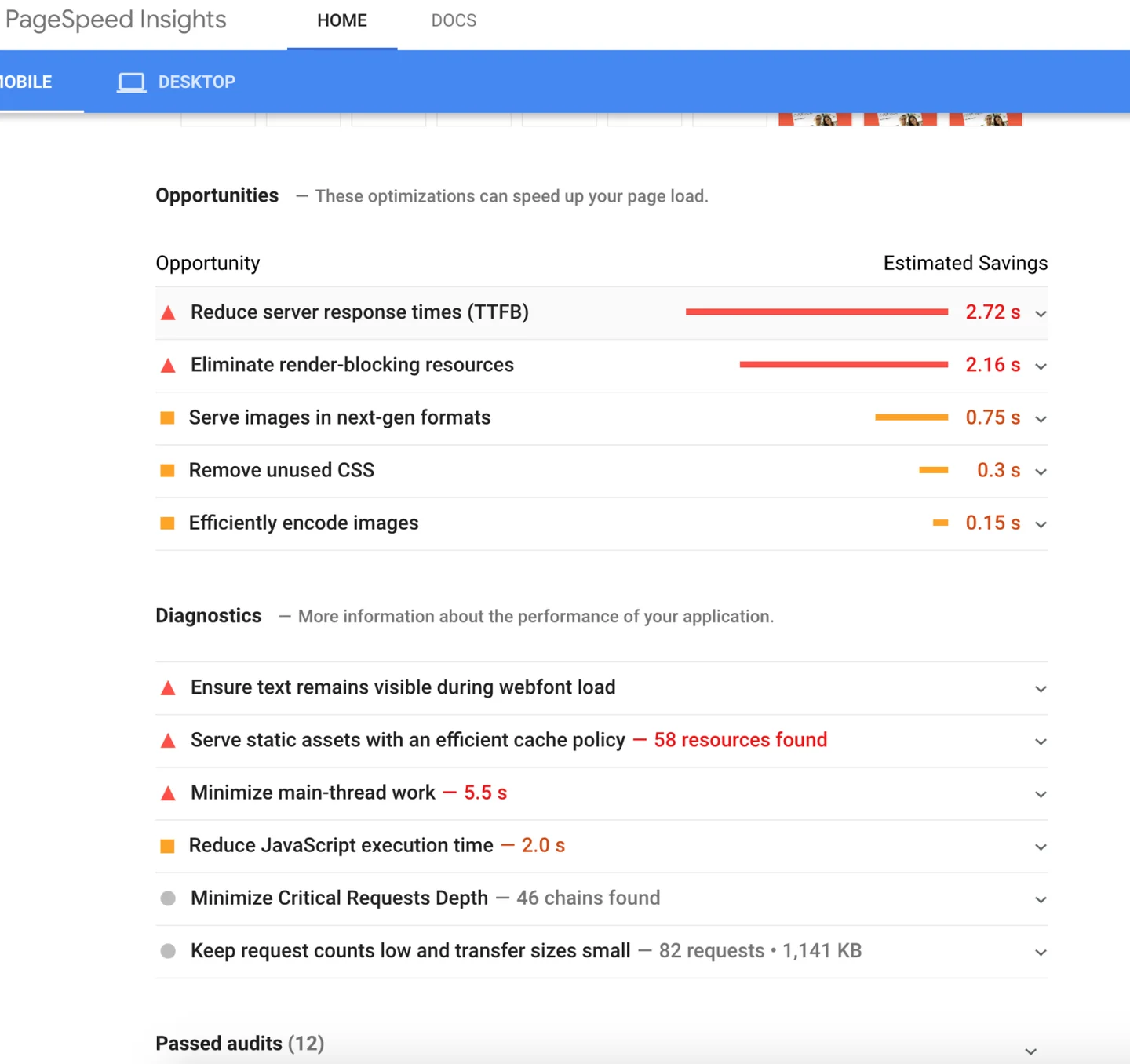
- Uses a CDN like Cloudflare [I've been using Cloudflare since 2012 without any issues, it just has a slight learning curve, but it simplifies at a GUI website level what otherwise would be tedious Linux Nginx or Apache config editing] and Let's Encrypt offer free HTTPS SSL certs) and loads fast, test your site on PageSpeed or GTmetrix **(**I use both, GTmetrix has a waterfall breakdown much like the Network Tab in Web DevTools [CMD/Ctrl+Option+i] for speed details. The use of a CDN like Cloudflare will also help your site load faster and secure it against DDoS, MIIM and other attacks, it's also free on free tier which is good enough for low-medium traffic websites.
- Uses videos where they help explain the subject. An embed is not a substitute for original analysis or a guarantee of better rankings. Google’s people-first content guidance is a better starting point than adding media for its own sake.
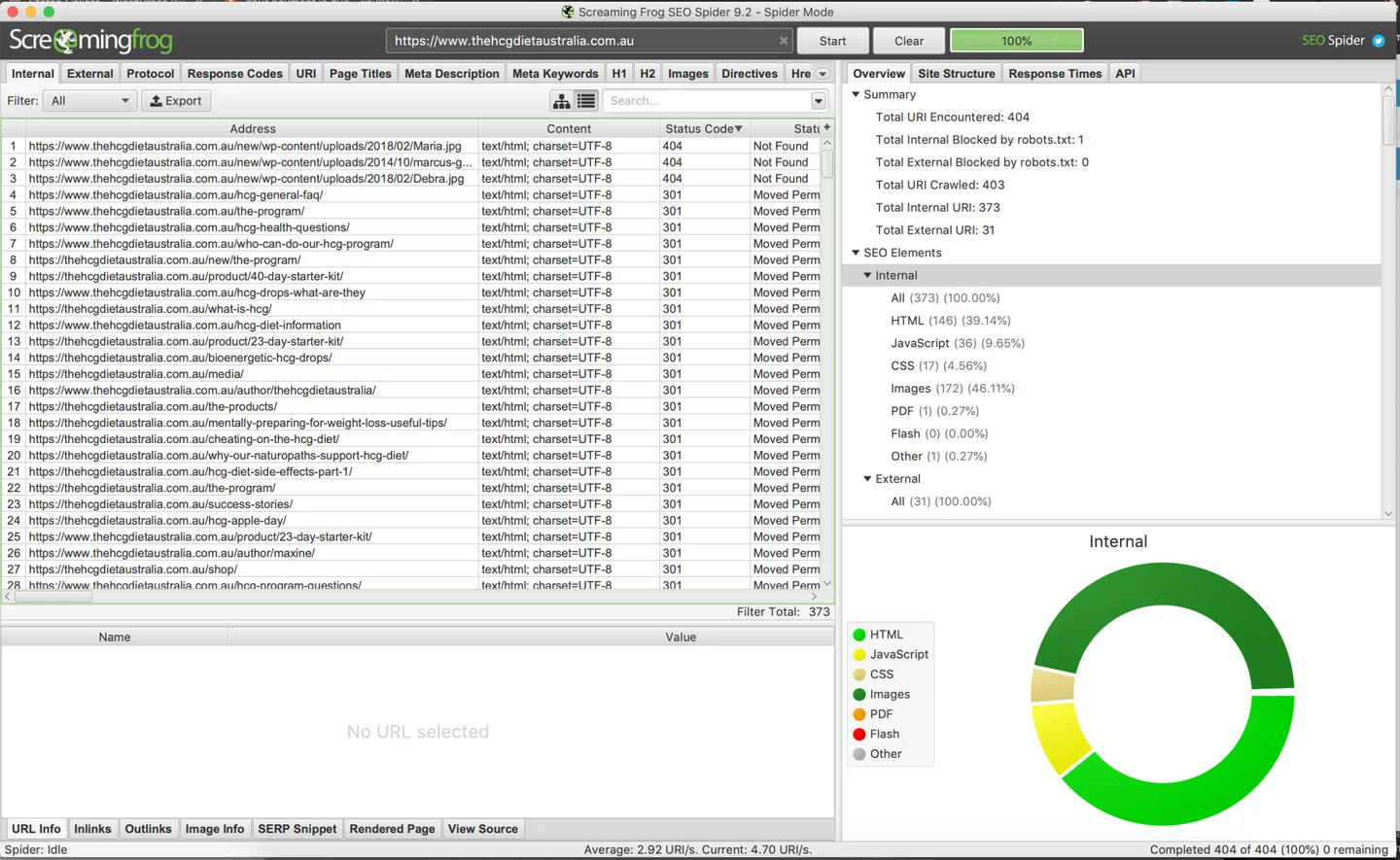
- Doesn't contain any duplicate content (pages or other domains with the exact same content) or 404 links. Siteliner is a great tool for scanning duplicate content. ScreamingFrog (free for first 10 000 requests), Varvy.com or SEMRush Site Audit are great tools here.
- Is using Google Analytics to track visitor traffic. Hotjar is another heatmapping user analytics tool, but it has been known to slow down site performance, so maybe use it temporarily for user feedback.

- Is code performant - fast website DOM content loading speed should be under 3-4 seconds. Ensure your images are compressed with Imagify.io or from your graphic design. Images shouldn't be larger than 200KB.
- Consider using a caching plugin or server-side caching like Varnish or an optimised WordPress host like SiteGround or Kinsta.
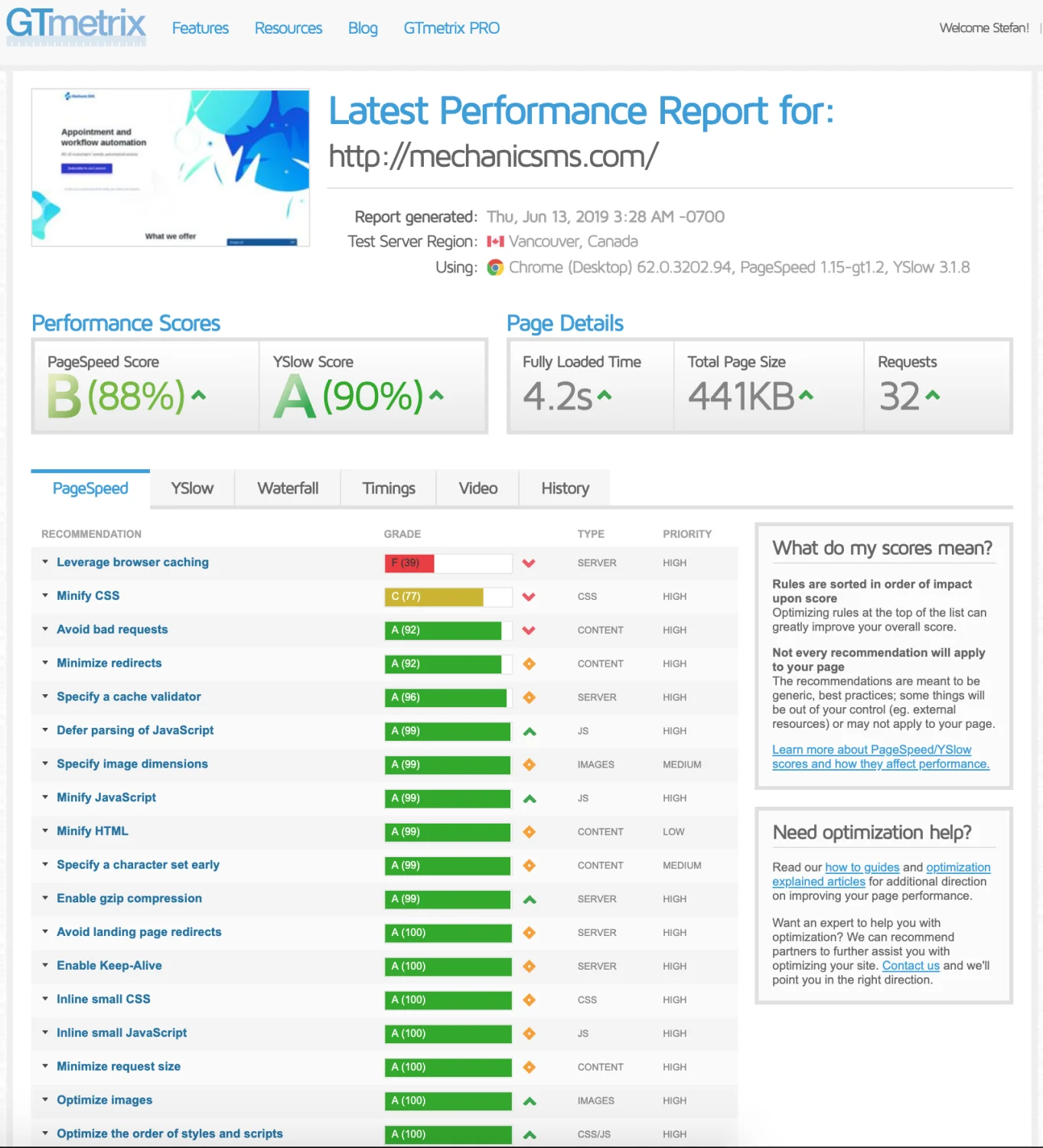
Search Engines like Google and Bing rank HTTPS, mobile, content and speed optimised sites higher in search without paying a cent to search engines. They do this because it offers a secure and better user experience (U r the user.
Make sure your Call to Action (CTA - what you want your visitors to objectively do) is above the fold. (Above where a user doesn't have to scroll down as soon as they visit your page).
Look at what the first thing AirBnB present to its users:
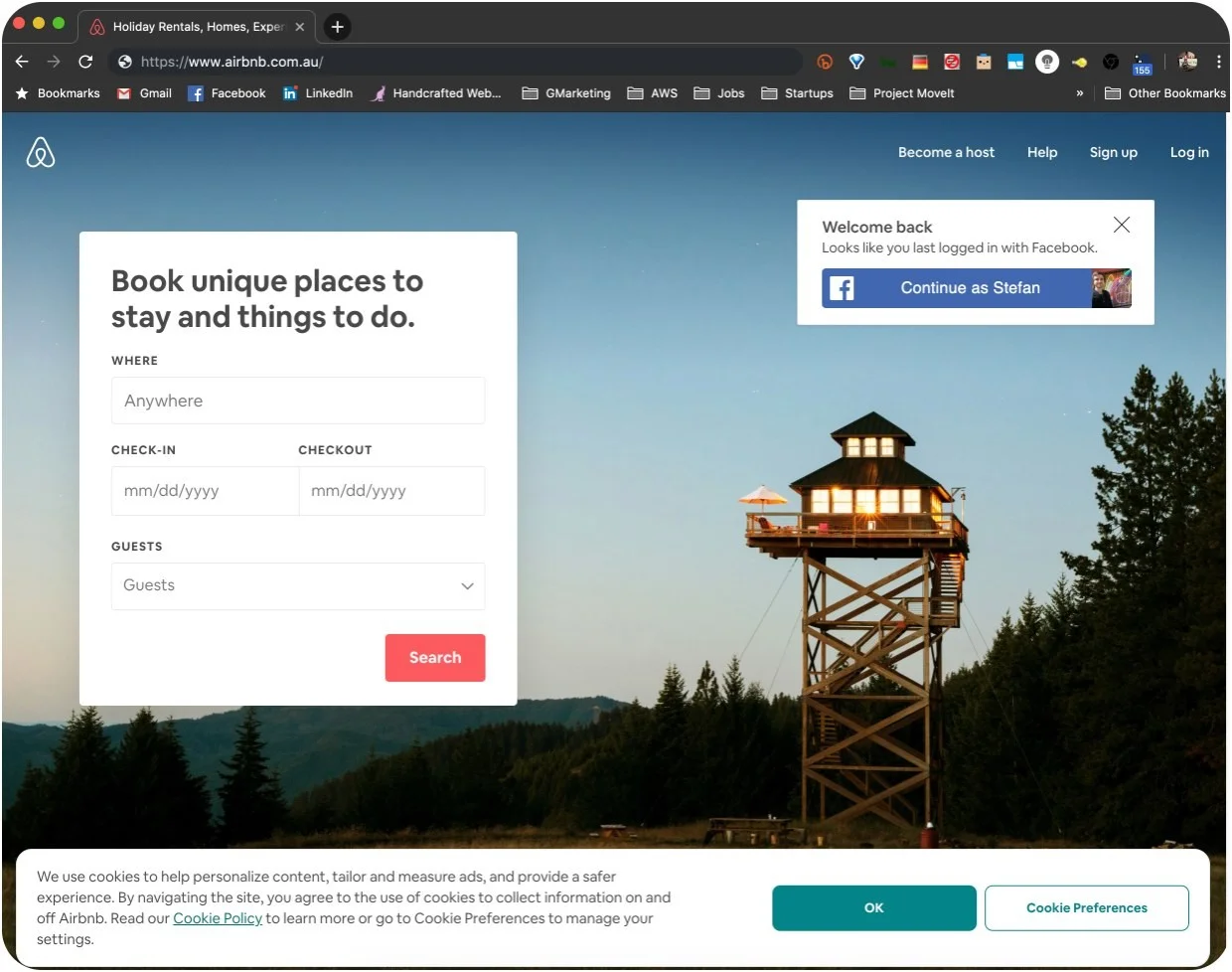
If your goal is email subscriptions, pop that text collection field at the very top of the screen with a hero banner. If the goal is to sell products, pop products there.
Internal What?
Increase internal linking on your site. You know those blogs that link to another semi-related blog post after a few paragraphs in? Or the right hand side having a bunch of related blog posts? That's internal linking at work. It tells Search Engines that your site is content rich and it also helps users navigate your site with a much better user experience (UX) / user interface (UI), this allows them to quickly discover content they otherwise would have missed without those internal links on your site.
How to Geek and Kinsta do this really well. I like article thumbnails as well which Medium posts sometimes include.
https://kinsta.com/blog/google-patents-seo-ranking-factors/
Good internal linking also includes having appropriate navigation menu links as well as comprehensive footer links, it's basically the switchboard of your website after users finish reading your content, they may want to check the career or about us sections. (Sometimes I skip reading the content and go straight to those footer links).
My Software Developer friend decided he wanted to interview me at StartCon 2018 last year for SEO advice since his SEO knowledge was limited. It was great to go outside after listening to talks in the dark all day. :)
Off-page SEO:
When considering a previously used domain, review its history, existing links and whether its past use fits your site. A third-party score alone cannot establish that a domain is safe or suitable.
What is Domain Authority (DA)?
Domain Authority is Moz’s comparative metric, not a Google-issued score or a direct measure of Google’s ranking decisions. My original explanation overstated what it could tell you. Use such metrics as one input alongside the relevance and quality of the actual pages and links.
Outreach / Link Profile Building (Getting backlinks)
My original claim that backlinks account for about 40% of SEO was not supported and has been removed. There is no universal percentage I can assign to their effect on rankings.
A large part of my SEO agency work involved contacting publishers about guest contributions. Looking back, the useful test is whether the contribution helps that publication’s readers, not whether it supplies a particular kind of backlink.
Links should support the reader’s understanding. Buying links or creating guest posts primarily to manipulate rankings can violate Google’s link-spam policy. Paid placements need appropriate link qualification; demanding a followed link is not sound editorial advice.
Extras:
Use Google My Business (free) to setup a business listing on the right side (desktop) or top (mobile) of Google when someone searches your brand name. This is especially handing if there are already other similar non-business domain names ranking on your brand name.
The Paid Marketing Stuff:
PPC (pay per click) like Google/FB Ads and Product Listings I'll leave for another post. But if you want to get started with Google Ads (formerly AdWords).
Thanks! I'll add more to this post as I revise it.
Have a nice day! Please share and drop a comment if you found this interesting and what I should focus on next. Thank you.
Kind Regards,
Web Designer & Digital Marketer at Siteroo.design
Sydney, Australia
Thanks for reading. About reader stats
View the original discussion on LinkedIn ↗





Join the conversation
No account needed. Keep comments thoughtful and respectful. Your first comment is held for approval.
View earlier GitHub discussions ↗